Templates it is a pre-built environment that can be further customized to meet your unique requirements.
In this article, we will discuss the process of creating templates, including the default set of templates
provided by Metaplan and how to save your own worlds as templates.
¶ 1. Default Templates
Metaplan offers a basic set of templates for users based on their subscription plans.
These templates cater to various use cases and can be further customized to suit your needs:
- Free plan: 5 templates
- Pro plan: 10 templates
- Business plan: 20 templates
For users who require more templates or custom options, Metaplan offers an Enterprise subscription.
You can learn more about the various subscription plans on our website (link).
¶ 2. Saving Your World as a Template
If you have designed a virtual world that you would like to use as a starting point for future worlds or events,
you can save it as a template.
This option is available in the Worlds tab within the Metaplan platform. To save your world as a template, follow these steps:
- Navigate to the Worlds tab.
- Click on the desired world you want to save as a template.
- Choose the Save as Template option.
Templates serve as base virtual worlds that can be used to create public worlds or events.
To learn more about the differences between worlds, events, and templates,
refer to our Virtual Spaces types and differentiation" article
By utilizing templates, you can significantly speed up the process of creating virtual worlds, allowing you to focus on customization and unique features.
With Metaplan's robust set of default templates and the ability to save your own worlds as templates, you'll be well-equipped to create engaging and immersive virtual environments for any purpose.
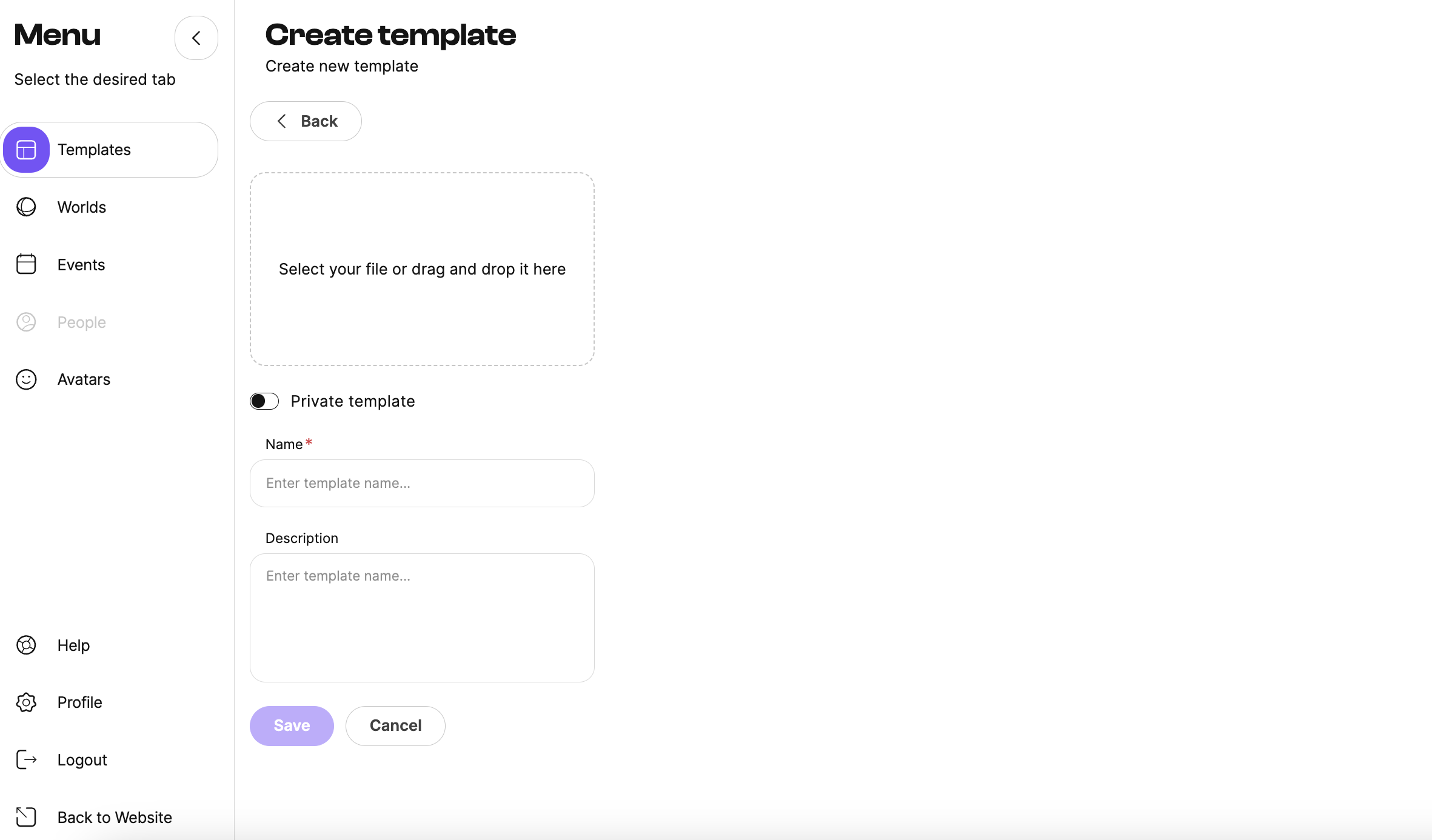
¶ 3. Create a new Template
To create a new template from scratch, follow these steps:
- Go to the Template tab.
- Click Create Template.
- Add a template name
- Add an image
- Add a description
- Select the "Save as Template" option.