Creating virtual worlds with Metaplan is an intuitive and straightforward process that allows users to build immersive environments for social interaction,
business collaboration, and more. In this article, we will guide you through the steps of creating a world, from starting in the lobby to using the World Builder for customization.
In the free version of Metaplan, you have five worlds available to create.
To create more worlds or access additional features, consider upgrading to a premium plan.
¶ 1. Starting in the Lobby
The lobby is the central hub where users can access various Metaplan features, such as creating worlds, joining events, or managing their avatars.
¶ 2. Initiating World Creation
To create a new world, follow these steps:
- Go to the Worlds tab
- Сlick the Create World button.
- Choose whether to start with a template or create a world from scratch.
- Enter the necessary information about the world, such as:
- World name
- World description (optional)
- World cover image (optional)
- Click the Next button to proceed.
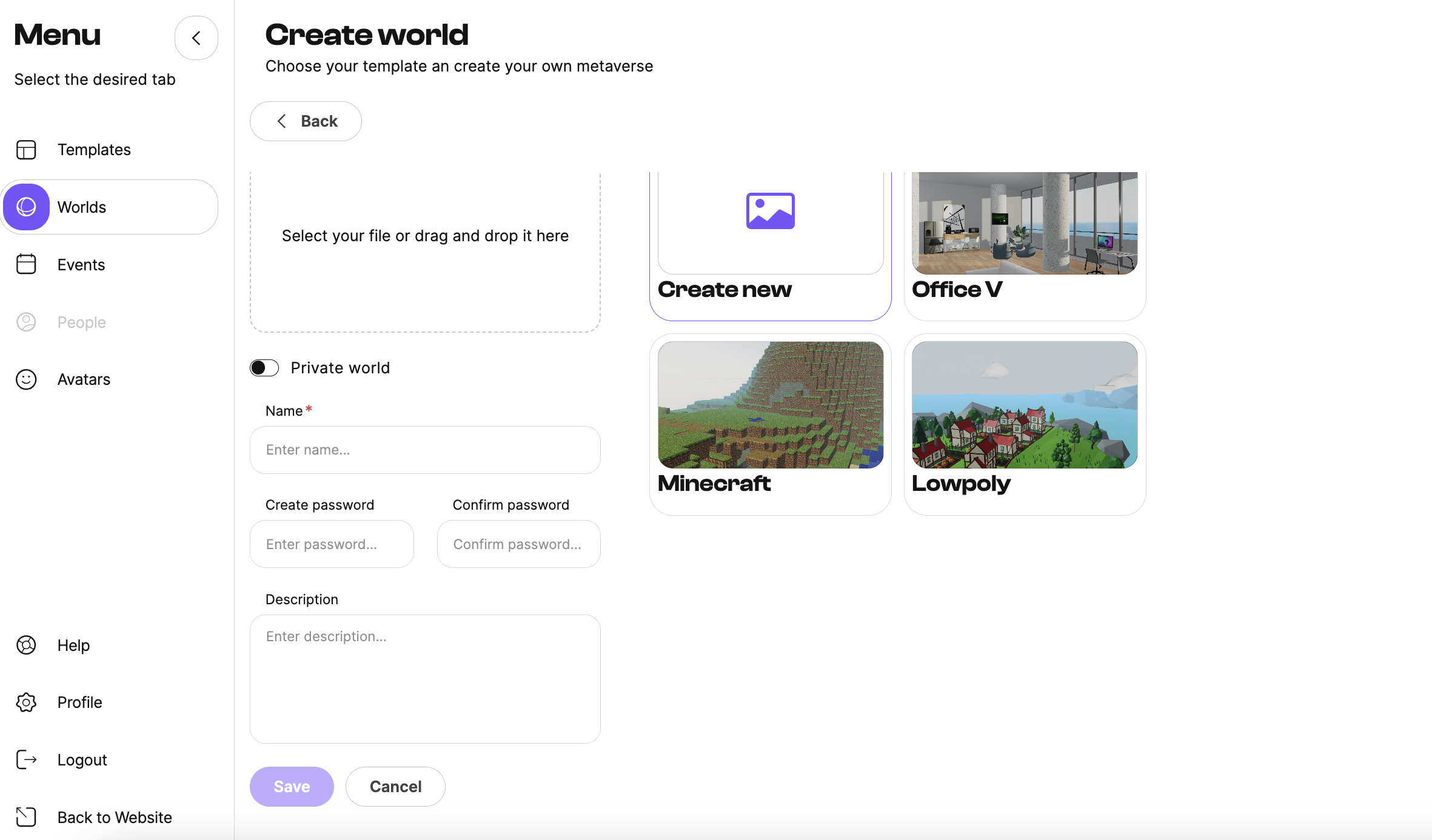
Templates can save time by providing a pre-built environment that can be customized to your liking.
¶ 3. Entering the World Builder
Once you have provided the required information, you will enter the World Builder. This powerful tool allows you to design and customize your virtual world using various menus, options, and assets.
We have developed a comprehensive guide that meticulously outlines each step involved in utilizing the World Builder World Builder on the Metaplan platform.
This in-depth resource will assist you in navigating the World Builder effectively, enabling you to create immersive and captivating virtual worlds with ease.